
latest
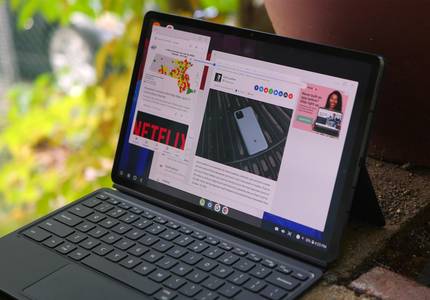

Google has prioritized tablets again, which means there's a new push for tablet-specific apps. But since it's difficult to find these apps in the Play Store, we did the hard work for you and created a hand-picked roundup of the best Android apps that look great on bigger screens. So strap in, grab your favorite Android tablet, and install some of these wonderful apps.

Every week, I examine somewhere in the neighborhood of a hundred app updates while looking for changes. The most interesting things turn into APK Teardowns or Download posts. Many of the remaining updates are unremarkable, amounting to a few bug fixes, routine updates to libraries, or even just pixel-level adjustments to layouts and images. However, there are usually a few updates that land somewhere in between. I don't want to spam readers with dozens of short posts, but I hate to ignore things that people might want to know about, so I'm going to wrap up the leftovers for a little weekend reading and call it Update Notes.


Adobe's current Android strategy seems to be publishing as many small, single-purpose tools as possible to augment the workflow of artists and designers using its main Creative Cloud programs on a desktop computer. Capture CC is a tool for adding things like custom colors, brushes, shapes, and other Photoshop, Illustrator, and InDesign assets via a mobile camera. The Android app launched in October of 2015, and apparently Adobe didn't think anyone with an Android tablet really needed that functionality until now.

I'm going to be perfectly honest: I avoid Skype like the plague, because its Windows client is legendarily awful. I actually install it and immediately uninstall it every time I need to talk to someone who only uses Skype. Perhaps the Skype Windows developer team should accept a little help from the mobile side, because the latest release looks really good, especially on tablets. The Skype blog announced a revamped tablet user interface in version 7.0 of the Android app.


When I got my first Android tablet sometime around 2012 or 2013, I turned to Tablified Market to find good tablet apps. At the time, the Play Store didn't have any way of filtering tablet-optimized apps (and it still sucks at that) and Tablified was doing a great job of curating them into categories and easy to browse lists. But despite its good content, the Tablified app was merely an HTML wrapper for the website. It was slow to load and just dreadful in terms of responsiveness (here's what it looked like). With time, I started using it less and less until the app stopped being developed around April 2014 and I let it go.

Yesterday we reported that AT&T's U-verse cable streaming app was updated with new channels for users. Apparently that wasn't true for the tablet version of the app, a separate listing on the Play Store. Instead, tablet users were given the following message in the changelog, with a link to the previously mentioned "phone" app:

Google's remote application for controlling Android TV with your smartphone is... OK. It's adequate. It beats inputting passwords letter-by-letter with a physical remote, and that's about all you can say in praise of the app. While it lets you perform a voice search, it won't launch TV apps without going back to the home screen, and its trackpad isn't a cursor (as some apps might benefit from), it's just a gesture pad. But that doesn't mean there isn't room for improvement, specifically on Android tablets. Here's what version 1.0 looked like on a tablet:

Trendy and thrifty travelers have taken a real shine to sub-letting app Airbnb, and those of them with tablets have a good reason to celebrate today. Version 5.0 of the Android app introduces a new user interface specifically for tablets, and it's available in the Play Store now. The 5.0 update doesn't seem to be going out in batches, but if you're having trouble getting it, the APK is available for download on APK Mirror.

Growing up in a traditional Lebanese home taught me the value of a great home cooked meal but limited my food experience to the local Mediterranean cuisine. It wasn't until my late teens that I started putting aside my preconceptions about flavors and experimenting with recipes. Nowadays, whenever I feel the need to do some creative cooking, I head into the kitchen with my Nexus 7 in tow. It houses twelve excellent recipe apps optimized for tablets, with some of them specifically designed to be used during the cooking process.

Amazon's big Fire TV announcement yesterday left us a bit perturbed that there's still no way to get Amazon Instant Video on standard Android devices, but the retailer is continuing to support the more conventional side of its business. Take the Amazon For Tablets app for example: the latest update adds some handy features, most notably support for the Amazon Fresh grocery service. But since Amazon Fresh is still only active in parts of California and Seattle, that won't effect a large percentage of users.

The changes to the Play Store we mentioned last month seem to have taken effect. Now when you're checking out apps on an Android tablet, the home page and the tabs for "Top Paid," "Top Free" and the like will only highlight apps designed for use on tablets, at least by default. If you search for a non-optimized app manually, the full listing will use a "designed for phones" tag.

It's about damn time. While Pandora has been slowly and steadily updating its Android app for years (the latest big update was a sleep timer), the tablet experience has been sorely lacking ever since Honeycomb. The music streaming service has redeemed itself with version 5.0 of the Android app, which now shifts the interface significantly on Android tablets.

Tablet Apps Are Now Highlighted In The Play Store (And So Are Some Non-Tablet Apps)
Google made a big deal out of its improvements to the Play Store in the massive keynote that kicked off I/O, and at least some of them are live right now.

Google made a big deal out of its improvements to the Play Store in the massive keynote that kicked off I/O, and at least some of them are live right now. Probably the most important for tablet owners is the ability to highlight apps specifically designed for tablets, or at least, the ones that have given some thought to layout and interface on larger screens. The updated tablet view is being rolled out right now, and on at least some devices (read:mine) it includes the option to filter out the smartphone chaff from the tablet wheat.

Nothing brings a smile to my face like the words "Tablet Optimized," and thanks to SoundHound, I'll be walking around with a little grin all day long. The music recognition service has updated its Android app to include a fully realized tablet UI and a few other performance enhancements. Here are a few screenshots for comparison (taken on my Nexus 7):

We've lamented the various restrictions on NFL Mobile's streaming audio and video before: the fact that it costs extra even for games on public broadcast, the fact that you can't use it with HDMI output, and most of all, the fact that it's only available on Verizon. Today the app gets a little less restrictive, at least assuming that you use Verizon FiOS for your home Internet connection. The latest update indicates that FiOS subscribers will be able to access NFL Mobile live streaming on their tablets for free. I guess they figured that they've got enough of your money.

You can watch live NFL games on any carrier you want, so long as you want to watch it on Verizon. The exclusive deal between the league and Verizon wouldn't be so frustrating if they'd update the app more often, but it looks like they've finally added tablet support for the various XOOM and Galaxy Tab models in their lineup. In case you're wondering, no, this won't work if you tether your tablet to a Verizon smartphone.


About a month after CUKETA got us excited about Age of Defenders, their unique new take on tower defense has hit the Android Market. Of course I had to get a copy and check it out for myself. I wasn't disappointed.


In a world void of many Honeycomb-specific apps, we often turn to small screen variants in order to fulfill our on-the-go needs. While many of the apps designed for phones work and scale appropriately on the large screen, it often to leads to odd placement of objects, tiny buttons to tap, and other inconveniences that end up being less-than-ideal. Fortunately, Google incorporated a solution to this problem in Android 3.2 (Honeycomb): "zoom mode."