
latest
10 best Slack automations to improve your workflow
Level up your business’s Slack game with these killer integrations

As a business owner or manager, you'll coordinate multiple projects on several platforms and juggle deadlines while trying to keep up with team communications on Slack. Having your eyes on so many things simultaneously can become overwhelming, making it harder to keep track of important updates amidst the barrage of messages, notifications, and endless threads. But what if there was a way to streamline your experience and that of your entire team, automate repetitive tasks, and stay on top of critical information? Slack automations do just that.

Instagram's integrated Messenger gains vanish mode, chat themes, and Watch Together
Instagram’s new chat experience is continuing to roll out while getting more feature-complete

Facebook promised that it would make messaging easier across all of its apps last year, and we've already seen evidence that the company was working on integrating Facebook Messenger with Instagram. The company made that move official at the end of September, introducing what it's calling a new Messenger experience on Instagram. And now, Instagram is adding a few more of the features initially promised, like Watch Together, chat themes, and vanish mode.

Facebook starts integrating Messenger with Instagram
Will the company soon invite WhatsApp to the party, too?
Early last year, Facebook promised that it would create a unified backend for all of its messaging platforms. Messenger, Instagram direct messages, and WhatsApp are all supposed to be interoperable, so you wouldn't have to worry about which Facebook app to use with which of your contacts. It looks like the company is getting ready to make these cross-platform chats a reality, as it has started distributing a popup on Instagram that advertises a Messenger integration.

Messaging apps are becoming ever more versatile, and above all, Facebook Messenger and Telegram are known to have long supported bots and other third-party plug-ins. Any.do sees potential in WhatsApp in this regard and has just announced a partnership with it. A new integration will allow you to create tasks and get reminders right inside the messaging app.

Ever since Google bought Waze, we've feared that the company might kill off the app and roll a worse version of it into Google Maps, as is sometimes the case with other services it owns (looking at Nest right now). But Waze is alive and well, and Google keeps adding useful new features to it, such as the Google Assistant and a carpool service. Today, Waze is also gaining support for the podcast app Castbox.

Google completely abandoned its standalone Tasks service for a long time and built reminder functionality into Inbox (RIP), Keep, and the Assistant instead. Last year, however, a Google Tasks redesign surfaced out of nowhere, complete with Gmail integration on the web. Now, the latest Gmail app update brings this functionality to Android.
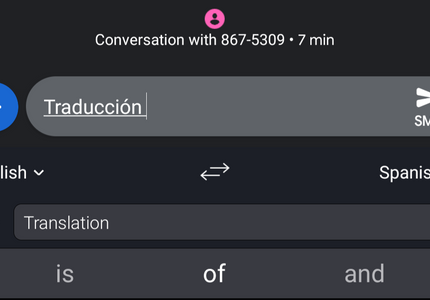

Text translation seems like an obvious feature for a phone keyboard. It eliminates the hassle of having to swap between apps, copying and pasting when you want to say something in a language you don't speak (however infrequent that need may be). SwiftKey seems to agree, as the latest update of the keyboard's Beta version comes with Microsoft Translator integration.


If 1950's science fiction has taught me anything, it's that video calling is supposed to be the future. Today Google announced in a blog post that we're one step closer to that vision of reality. Integrated video calling (via Duo or ViLTE) is rolling out to first-generation Pixel, Android One, and Nexus devices, via the Phone, Contacts, and Android Messages apps. No schedule yet for ray-gun or jetpack integration.

Google might be planning on having your Duo calls appear in your phone's call history. A new prompt is appearing in Duo that asks if you'd like to merge its call history with your phone's. We found data to support this last month in a teardown of the Duo app, so it isn't too surprising. Either the switch flipped early for the prompt, or the feature might be coming soon.

Read update
- The APK for Allo is now available at APK Mirror. And Duo is avaliable here. So if you are tired of waiting for the rollout to hit you, feel free to download it there and install.
Today Google is launching a new version of Allo that will allow you to start calls in Duo straight from the app. Both Nick Fox, VP of Communications Products, and Amit Fulay, head of product for Allo and Duo, have made tweets today about the new update. Integration between the two services has been a long-time coming.


Google showed off Netflix integration with Google Home at the company's October 4 event. The feature would allow users to play Netflix content on Chromecasts, or Chromecast-compatible devices, with simple voice commands. Now the long-awaited feature appears to be going live for some users, along with Google Photos integration as well.


Starz, the premium cable channel that offers movies and original series, now works with Spotify, the premium streaming music service. Which is... odd. An updated version of the Starz Android app now includes integrated streaming tracks from Spotify, all of which are either original music or soundtrack selections from those Starz series and movies. Apparently there are "more than 3,500" selections that are at least tangentially related to the Starz catalog.


When this does this, that should do that. To tell IFTTT to make this happen, you have to log into your account on the website or fire up the Android app. Now you will start seeing another choice. IFTTT is working with partners to bake integration into other apps.

Here's an exciting update for those of you who have a Sonos sound system and use Plex to manage your media library — the two services are learning how to play along. Sonos has begun testing Plex integration in the latest version of the mobile app.

You can use a photo of yourself across the web, but if you want to have some fun and maintain a semblance of anonymity on the web, you can use a cartoony avatar instead. You could dig up your old Yahoo one, but chances are you've moved on. You're using a Bitmoji and creating comic strips about your friends.

Evernote and Google Drive aren't exactly competing services, but they're similar. Both are places you go to vomit out notes and other documents worth remembering. Now the two are working together.

The PDF format is a common and open standard that works with many programs, but many people still turn to Acrobat Reader when the time comes to open a document. Adobe has given such folks another reason to keep the app around. Reader now integrates with Dropbox accounts.

Hey, listen to this. Sharing music over Facebook Messenger has become simpler for Spotify subscribers. Now users have the option to share songs and playlists directly inside the app.

Lyft and Waze are both Android apps focused on getting you from one place to another. The former hooks you up with a driver who drops you off where you need to be. The latter is a navigation app that tells drivers how to get there. Now the two are becoming good friends.

Do you love music enough to pay for a Spotify account? Did you also buy a set of Sonos speakers? Have you been upset that you haven't been able to use the former's Radio feature on the latter?