
latest
-2.jpg?q=50&fit=crop&w=430&h=300&dpr=1.5)
Factory images for the Google Pixel 6 and 6 Pro are now available
Now your phone just needs to arrive

The Google Pixel 6 and Pixel 6 Pro are here, complete with glowing reviews and availability problems for both. They're quickly picking up reputations as the first "true" flagships released by Google, and that's for a lot of good reasons. With both officially out today and shipments for pre-orders underway, Google has released its official factory images for the Pixel 6 and Pixel 6 Pro.

Android 12 gets a surprise release today alongside the Pixel 6 debut
Got a Pixel 3 or later? Download it now

As it officially introduces its Pixel 6 and Pixel 6 Pro phones, Google has also released final OTA and factory images of Android 12 for existing Pixel devices.

The root and ROM tinkering crowd should take note: Today Google has published the first factory and OTA images for both of its latest phones. The Pixel 4a 5G and Pixel 5 were both recently added to download pages for each category, so if you run into trouble unlocking your bootloader and mucking around flashing modified system images, now you can quickly and easily restore your phone back to defaults.
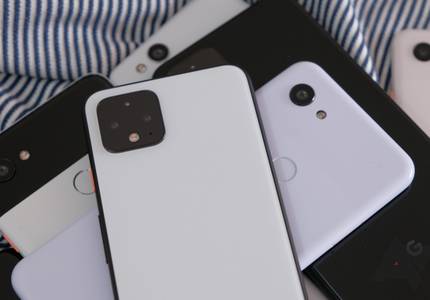
March Pixel update OTA and factory images are live (Update: Missing images for Pixel 3 and 3a)
Not all Pixel Feature Drop changes are present for everyone (yet)

Google has posted images for the March Pixel update to the usual spots for manual installation, if you're too impatient to see it roll out via the traditional means. However, although this month's update is supposed to correspond to the latest Pixel Feature Drop, some of the new features don't seem to be live in the March update just yet. As we noted in our prior coverage, some things may require app updates or server-side changes before they work. (Update: Though they're almost all live for me as of around two hours later.)

The December 2019 update finally started rolling out for the Pixel 4 and 4 XL yesterday. If you're among those impatiently tapping the "check for updates" button to no avail, you can now download the images manually and install them yourself from a computer, as OTA and factory image files have been posted by Google.

Monthly security patches for November 2019 are out for Google's Pixels — including the latest Pixel 4 and 4 XL. This marks the first major monthly update for the pair of phones, and they're getting a few fixes with it, too. In addition to the generally enhanced security, the Pixel 4 and 4 XL are getting some camera tweaks and improvements to Smooth Display, likely tied to previous oddities observed in the feature.

It might seem like Google's Pixel 4 and 4 XL have been around for months, given the volume of leaks and early shipments, but today was actually meant to mark formal availability for the new phones. In addition to the hardware, today also marks availability for the Pixel 4 and 4 XL's software, as Google has just uploaded factory images and full OTA files for both phones.

Android 10 has been officially released for Google's Pixels as of today, but if you don't happen to see the update rolling out in the traditional sense on your own device, we've got you covered. Downloads for sideloadable OTAs and factory images are already live, though they're a bit more work to get onto your phone.

Read update
- We can confirm that the OTA update for those in the Beta Program is now rolling out. If you don't see the update now, you should very soon. Downloads, at the time of writing, are pretty slow, though.
Following our previous expectations and just in time for developers in attendance at the ongoing I/O developer conference, Google has just pushed out downloads for Android Q Beta 3. OTAs don't seem to be pushing out via the traditional means just yet, but you can start sideloading the update on your Pixel now. Beta 3 also adds support for 15 other partner devices from 12 OEMs.

Google's Pixel 3a and 3a XL were only released today, but already factory images are available for download. Odds are prospective customers don't have either of the new mid-range phones just yet, but if you're the sort to tear into images looking for titillating tidbits or a developer looking to get an early edge on rooting or ROMing, they're free for the taking.
In keeping with the initially projected schedule, Android Q Beta 2 has just been released for human consumption. While we all wait for the Beta Program OTAs to roll out, the impatient can get an edge on the rest of us by sideloading the already available OTA images or manually flashing the factory images.

It's the first Monday of the month, and Google's monthly security patches are rolling out, as expected. Downloads for all Pixel phones are up now. Functional patches this month include a fix for the Pixel 3 screen flashing on wake (finally), Bluetooth improvements for the OG, and improved "voice-unlocking performance for Google Assistant."

Right on schedule, Google has just pushed out OTA and factory image downloads for the latest March updates to its Pixel line. Unlike last month, we've also got a pile of functional patches for the Pixel 3 and 3 XL which include improved storage performance and better "startup and responsiveness of [the] Camera app." Reports also indicate the update is rolling out already via the traditional means.
Read update
- Both bulletins are up. Curiously, the Pixel bulletin this month is entirely empty: There are no Pixel-exclusive functional patches mentioned for February.
It's that time of the month: Google's Pixel updates are landing. Although OTAs don't appear to be rolling out via the traditional means just yet, Google has posted both OTA files and factory images to the usual locations for your side-loading pleasure.
The latest pair of Google flagships haven't been without their controversies — it's effectively a yearly ritual as the tech enthusiast community picks apart a new Pixel phone's faults— but subsequent updates typically resolve the vast majority of these issues. Lucky for us, Google claims that another Pixel 3 problem has been resolved with January's update. The issue with low-quality audio while recording video is allegedly fixed. And downloads are posted and ready for sideloading if you're impatiently waiting for this fix to hit your own Pixel 3.
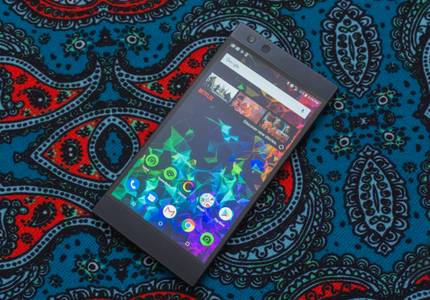
For many, a phone is a black box filled with apps, connectivity, and no small part of modern tech magic. But for the technically inclined (like enthusiasts and developers), the intricate operations that keep us knee-deep in apps and services are well understood, and access to specifics like kernel sources and factory images helps tremendously when it comes to rooting, ROMing, and device-targeted development. So it's a good thing Razer pushed out both factory images and kernel sources for its most recent flagship, the Razer Phone 2.
It's the first Monday in a new month, so there's one thing you can typically expect from today: Google will release its monthly security patches for Pixels. There are a couple of surprises this month, though. The Nexus 5X and 6P are still getting updates, and December images for Google's 2016 Pixels are again curiously absent. The list of functional patches included this month is large, and it also includes "improved memory performance in certain circumstances," for the Pixel 3, 3XL, 2, and 2 XL.

One of the best benefits to owning Google's hardware is the regular monthly updates, which deliver both bug fixes and security patches at a predictable schedule. Like clockwork, Google has just pushed out its November OTA files and Factory Images for Pixel and currently supported Nexus devices — or, at least, for most of them. Unfortunately, functional patches this month don't seem to include fixes for any of the recent Pixel 3 issues just yet. (Update: Looks like one fix was silently included.)


Today is the "official" launch date of Google's latest flagship phones, so naturally, there are Pie factory images to go along with them. You can download images and OTA files for both the Pixel 3 and 3 XL onGoogle's developer site.


Promptly on time, Google has released October's OTA files and factory images for the Pixels, as well as its general Android security bulletin for the month. At the same time, Verizon is pushing out the set of patches to Pixel users now. It's the second update to Android 9 Pie, and this time around there are no Pixel security patches — just a few functional patches including, most notably, what might finally be a fix for the 2016 Pixel fast charging bug.