14
Sep
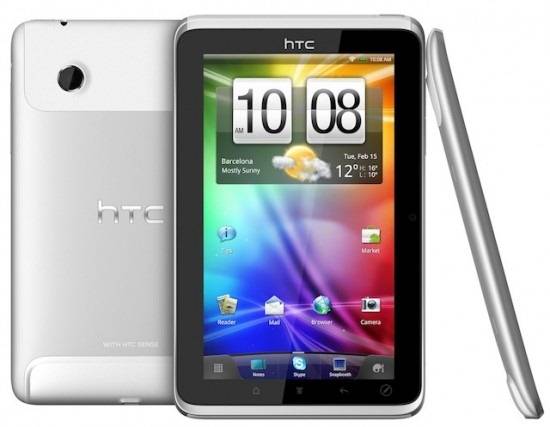
HTC-Flyer-3-views-550x427

The HTC bootloader unlock portal has been updated yet again, this time bringing the company's first tablet, the Flyer, to the mix. It appears that basically all versions that carry the Flyer name are supported, so if an unlock for the View 4G is what you're after, you'll have to keep playing the waiting game for a while longer.

2011-09-14 09h22_59

Like with previous devices that made their way to the portal, the process seems simple and intuitive -- but keep in mind that it effectively voids your warranty if you choose to use this "legit" method. 

So, if you're ready to see what all the fuss is about, head over to HTCdev to get started.

[via Phandroid]

Cameron Summerson
Cameron is a self-made geek with an affinity for all (okay... most) things tech. His love for Android has been noticed in some unlikely places - he once went to a concert and upon meeting the band, the singer said "You're like, Android king, right? Can you you tell me why this doesn't run flash?" and handed Cam his Optimus S.

  • Guenther

    it worked already earlier. I did this last week, when I upgraded my Flyer to Honeycomb.

  • http://www.fastgsm.com Mike Wong

    Hi. In a case you need to network unlock your Flyer you can do it via factory unlock codes. You don't need to unlock bootloader to network unlock your phone. Unlocking removes SIM network unlock PIN screen.