Discovery
Good thing for our readers that I’m a night owl, and I happen to love my Nexus One, and love me some frozen yogurt. Especially together:
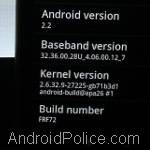
And now I have my T-Mobile Nexus One updated with the latest and greatest FRF72 build.
I just happened to be browsing a forum about the upcoming official Android 2.2 Froyo release when I see someone leak a URL for the FRF72 build that Google Employees were given a week ago. Someone at xda-developers.com seems to be the original source.
Download URL and Instructions
Here’s the URL for the upgrade, while it lasts:
http://android.clients.google.com/packages/passion/signed-passion-FRF72-from-FRF50.bc033f9e.zip (1.9MB)
I followed the same instructions that we posted here on AndroidPolice.com a few weeks back when FRF50 was leaked, and they worked just fine for me. After step 9, scroll to the top, select Reboot, and go grab a coffee.
For whatever reason, the first reboot after installing a new ROM takes forever. Here’s my timeline:
(02:02:49 AM) rebooting phone after flashing
(02:03:26 AM) nexus animation starting
(02:05:52 AM) home screen shows up, swipe to unlock, and in the system settings to prove:
Total reboot time was just over 3 minutes. Which felt like ages after waiting for the next Froyo build to drop.
What’s In The Upgrade?
We have no idea. We’ve heard rumors that Flash support was updated, and some improvements to make the web browser operate even faster. As we discover anything, we’ll be sure to let everyone know.
Personally, I haven’t noticed any changes yet, but I’ll add more details here if I find anything.


46,130
32,813
21,533
1,988


40 Comments
I wish google would just drop the source already... My N1 is craving froyo with the cyanogen touch added in
Truth! Can't live without my Cyanogen...
Thanks - flashing now!
In case the update goes down, xda members mirrored them here:
http://www.megaupload.com/?d=7VSC67HC
http://rapidshare.com/files/400636835/signed-passion-FRF72-from-FRF50.bc033f9e.zip.html
http://www.megaupload.com/?d=7VSC67HC
Again no love for the AT&T Nexus.
This isn't true! You can get ANY Nexus One to FRF72 with a little bit of work.
You will have to unlock your bootloader on AT&T N1s, but it's no big deal.
Im running stock froyo on my nexus, and stil can't see copy protected applications, though paid apps are their. But even apps I paid for like docs 2 go are not showing up. Anyone know if flashing this will fix that issue?
This is NOT a bug. Many paid apps and protected apps check the build.prop file of your phone to ensure you're running on a legitimate OS. Unfortunately Froyo isn't really legitimate since it's not officially released.
Just updated mine. Running FRF72 now. So far so good. It works so far. I'll see if I even notice any changes.
This is the sort of thing that makes me wish I had a N1.
Just flashed to FRF72. Seemed to take much less time than booting into FRF50. Haven't noticed anything yet, but FRF50 was a really good release.
I did have to uninstall and re-install re-register the Swype Beta to re-register it, as it wasn't swyping, although you could type on it like a regular keyboard.
I'll let you guys know of anything else I come across.
Strange, after update build number is frf50.
@dirk Then you did it wrong or didn't do it. Try again. Try these steps: http://phandroid.com/2010/05/22/manually-update-your-nexus-one-to-android-2-2-froyo/
It makes sense that this would be the final build seeing how South Korea will have the Nexus in stores starting Monday with 2.2 already installed. I'm guessing we should get the OTA next week.
That's a rumor that was debunked and the date was moved to July.
Does this work with unlocked ATT N1?
No, not this build.
Yes, if you have an unlocked bootloader.
FRF50 to FRF72 for root users
http://teslacoilsw.com/frf72
Cannot get my N1 to apply the update. Trying to install FRF50 first.
Displays:
E:Can't open / cache/recovery/command
E:signature verification failed
Installation aborted
Any ideas???
If you're rooted, I suggest you install ROM Manager from the Market. It includes the ClockWorkRecovery mod, but will allow you to download and auto-install ERE27/FRF50/FRF72.
That's what I did on my AT&T N1, and although it only got through ERE27 without crashing, I was able to continue on from there with manual updates.
No I'm not rooted. Thought that these updates were for non-rooted n1? I have a tmo phone
Are you running ERE27 currently, or FRF50?
If you're on ERE27, follow the instructions here and download the FRF50 update from here as well: http://www.androidpolice.com/2010/05/22/breaking-nexus-one-users-download-your-froyo-here/
Once you're on FRF50, follow the instructions in this post for FRF72 (which essentially repeat exactly what you do for FRF50).
Just installed it and now I lost "google Voice" hope I can download it from the market again....
Do I have to root this first? Tried to install the upgrade a few times but no dice
No, you do not. What build are you currently running?
Stock N1 on tmo ERD79
You should be on ERE27 if you're stock... The 2.1-update1 (which is ERE27) rolled out a loooong time ago. You should be able to just check for updates and have it applied, or you can download it from here: http://android.modaco.com/content/google-nexus-one-nexusone-modaco-com/300414/10-may-erd79-epf21b-stock-rom-for-nexus-one-images-zip-online-kitchen-optional-root-insecure-himem/
Once you're on ERE27, flash to FRF50, then to FRF72.
Very easy to install. No new features noticed. Seems like its more of a stability upgrade than anything. Seems like Google should be getting very close to a final release.
Anyone else having connectivity issues after installing this? I mean even when I'm on 3g or WiFi, I get errors in different apps (Voice, ESPN ScoreCenter) saying there is no internet connection.
@MRCUR
No dice again! The ERE27 won't load and the prompts are the same.
E:signature verification failed
Installation aborted
So I'm stuck and can't go any further until I can load ERE27!
Crap! What am I doing wrong?
Hmm, that looks like an error with the SD card, not the update itself. If you don't have anything you need on the card, format it and put the update.zip file for ERE27 back on it and give it another go.
If you do have stuff you need, just move it to your PC and then format it. If you're on Twitter, you can contact me @N301DQ.
I Love the FRF72 update, google voice is supposedly integrated into contacts, although I do not see how, yet. Flash is very much faster than before, and has improved controls, for fullscreen and such. If you haven't taken the leap yet, I suggest you do ASAP
@MRCUR
I somehow got the ERE27 on the phone. All runs good. Now I still can't load FRF50. For some reason can't format SD? Selection for format is blank from settings. How do I format the SD? Sorry for the dumb qs
I'll confirm a fix in the new update... before I couldn't load my bank site because of some certificate errors, despite it working fine on my iPhone and computers. After the FRF72 update it works fine! Thanks Google!
and another change?
if the spell checker sees something wrong it gives you the option to add to your custom dictionary automatically
well integrated and very useful
Improved battery life with FRF72.
Shame I can't now apply latest OTA
thank for share
I am waiting for the Nexus Prime. No definite word that TMobile will carry it but have to assume they will since they were the first to carry the Nexus One and Nexus S.
16 Pings: